Adding the TeamVis Chatbot to a Slack Channel
Add the TeamVis chatbot to your Slack channels to get instant timezone information, working hours, and team availability.
Prerequisite: You will need to have already synced your account with Slack (granted admin permission) for the TeamVis app to appear in Slack as an option to add.
You can use the command /invite @teamvis in any channel to add the bot directly or follow the steps below.
Step 1: Open channel details
Right-click on the channel where you want to add TeamVis. From the context menu, select Open channel details.
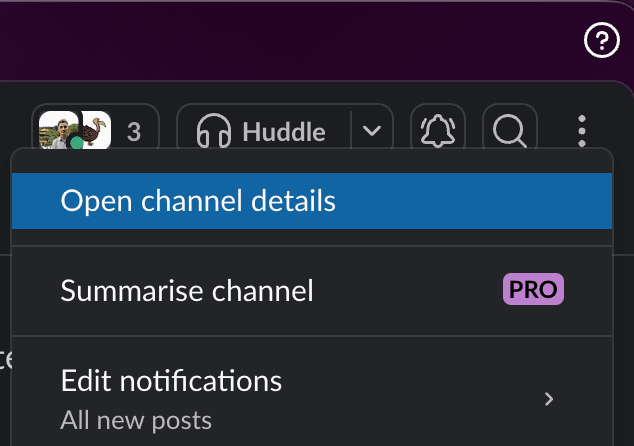
Click open channel details
Step 2: Add the TeamVis app
In the channel details panel, go to the Integrations tab. Click Add an app to add the TeamVis chatbot to the channel.
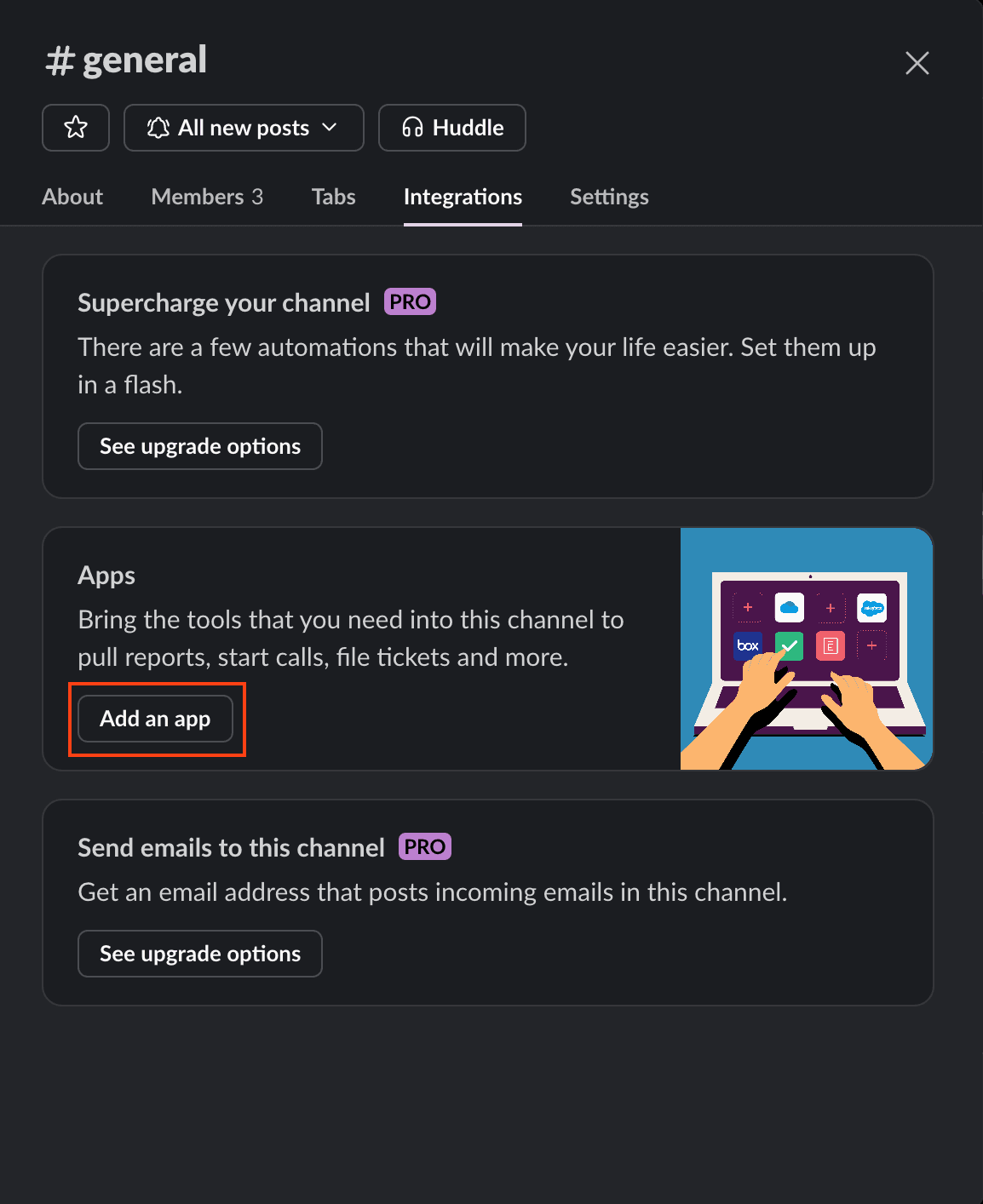
Integrations tabAdd an app