TeamVis for Slack
Your team's time zones, inside Slack
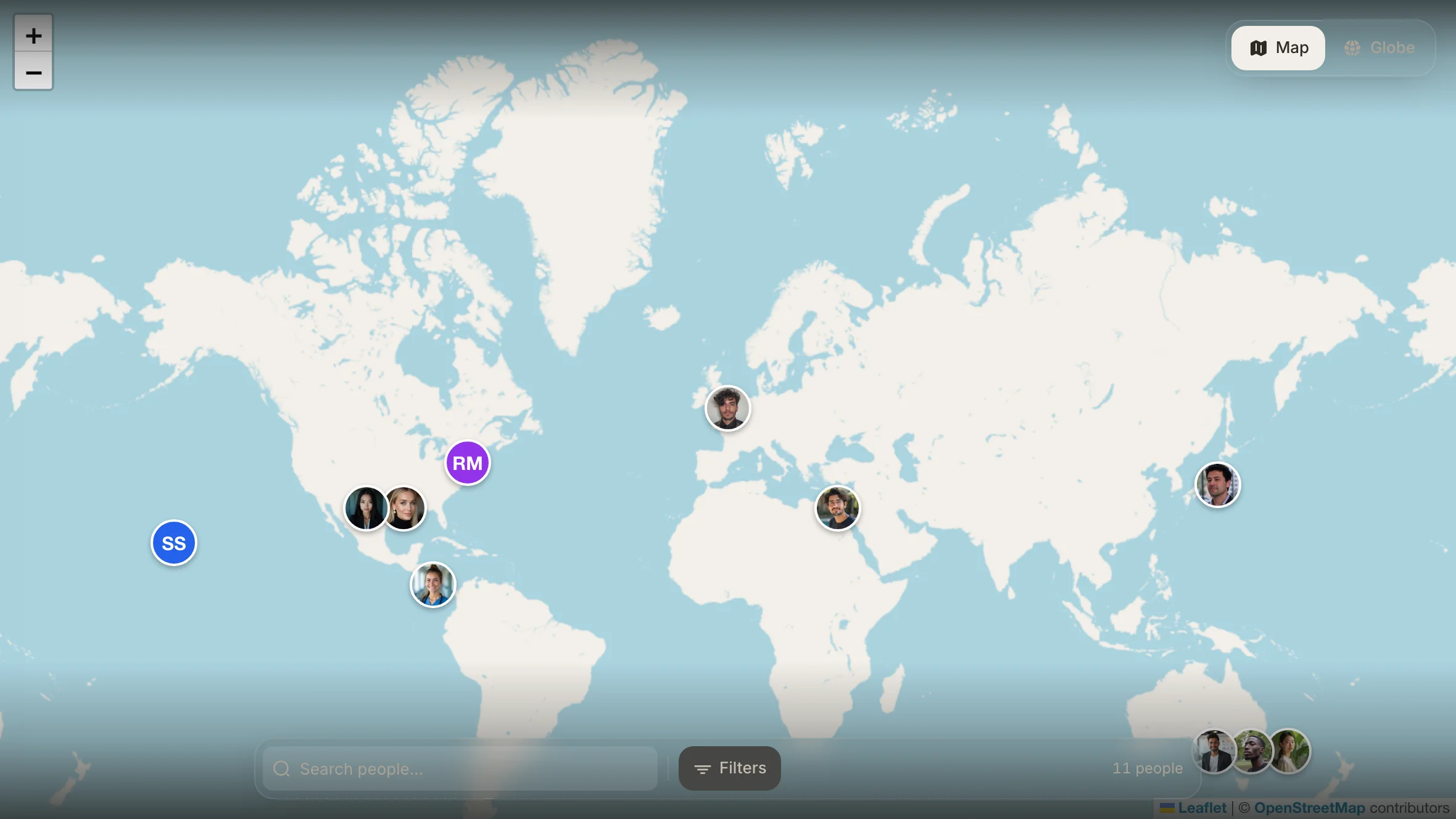
Connect your Slack workspace and every teammate appears on a map with their local time, working hours and national holidays. Mention a time in a channel and the TeamVis bot converts it for each reader.
Free during the beta. People, time zones and profiles sync from Slack, so there's nothing to set up.
Using Microsoft Teams instead? TeamVis for Microsoft Teams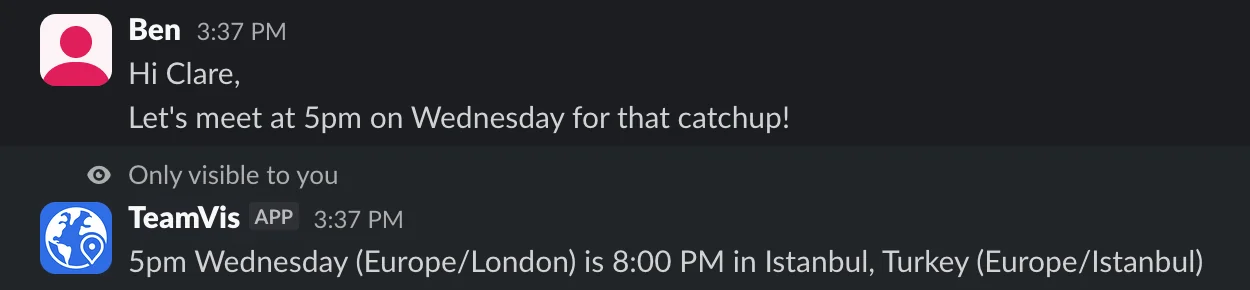
Say 5pm. Everyone sees their own time.
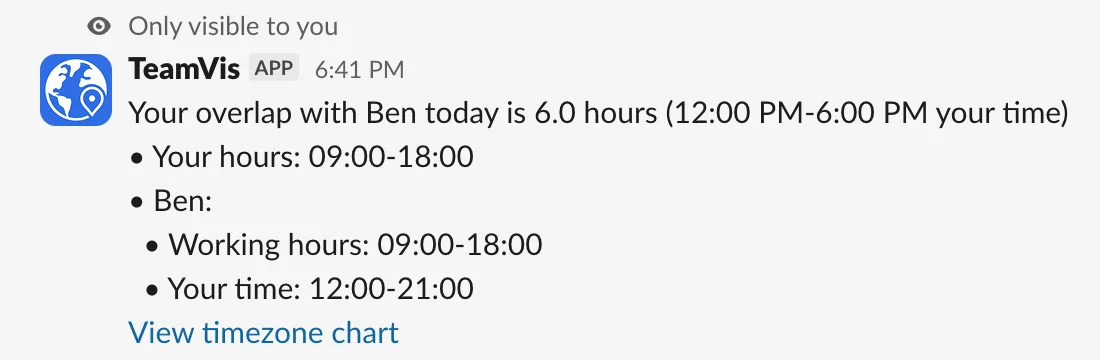
Teammates in other time zones get a private reply with the time converted. /workinghours, /overlap and /location answer in any channel. More about the chatbot
Features: Chatbot, Integrations, Menu Bar, Website
Chatbot
Time zone answers inside your channels, without leaving the chat.
Auto Time Conversion
Mention a time in a message and every teammate in another time zone gets a private reply with it converted to their local time.
View commands and documentation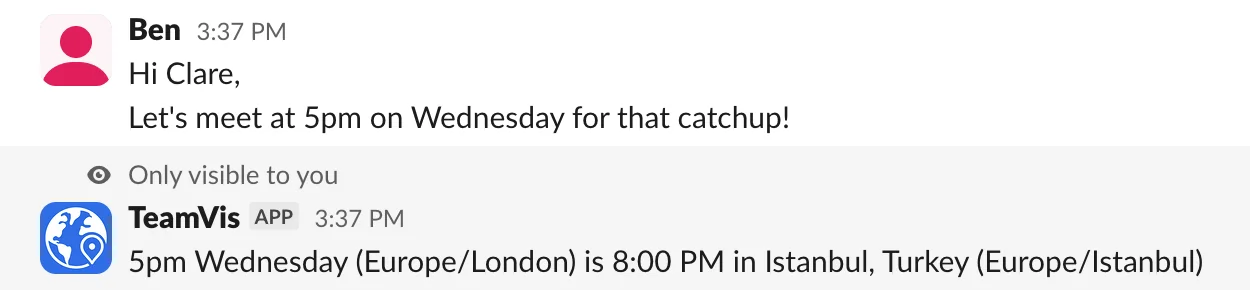
Unique features for Slack
Slack presence on the map
On the map page, switch between showing who's online in Slack and who's inside their working hours.
Open the demo map

Menu Bar App
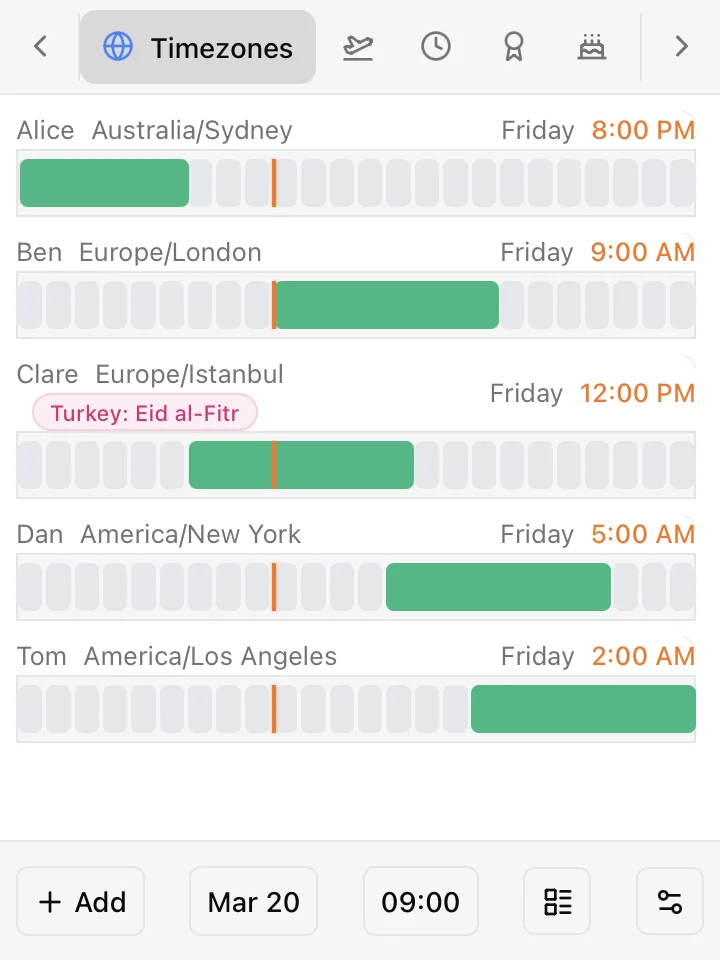
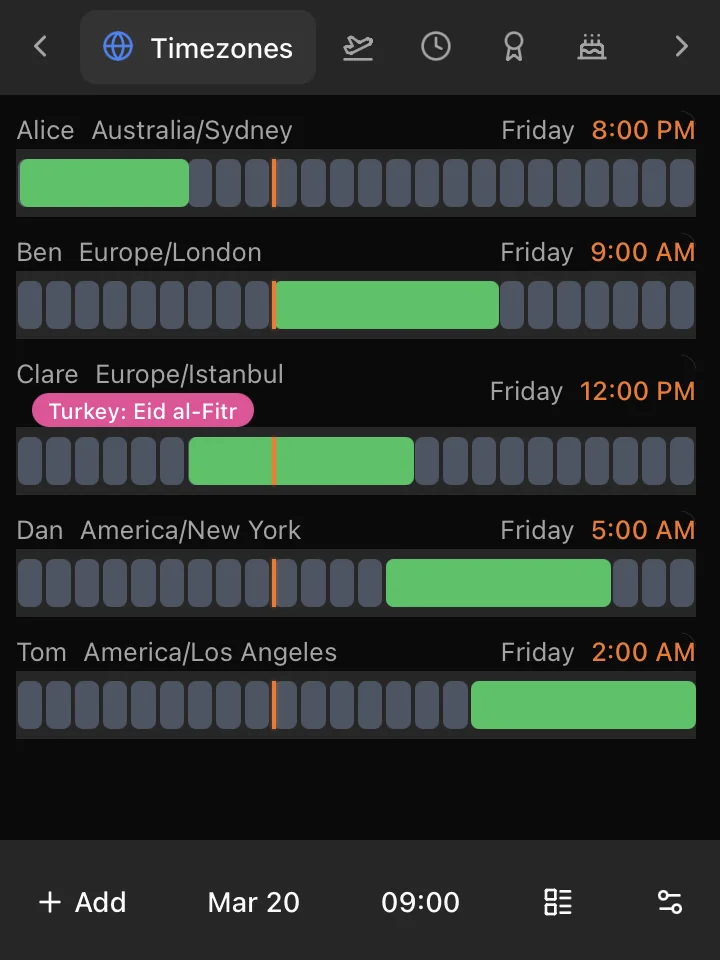
Your team's local times, working hours, holidays and clock changes, one click away in your Mac menu bar.
Who's working right now
See who's inside their working hours and who has logged off before you send a message.
More about the menu bar appWebsite Features
Your team's locations, working hours and key dates in one dashboard, free for individuals.
Employee Map
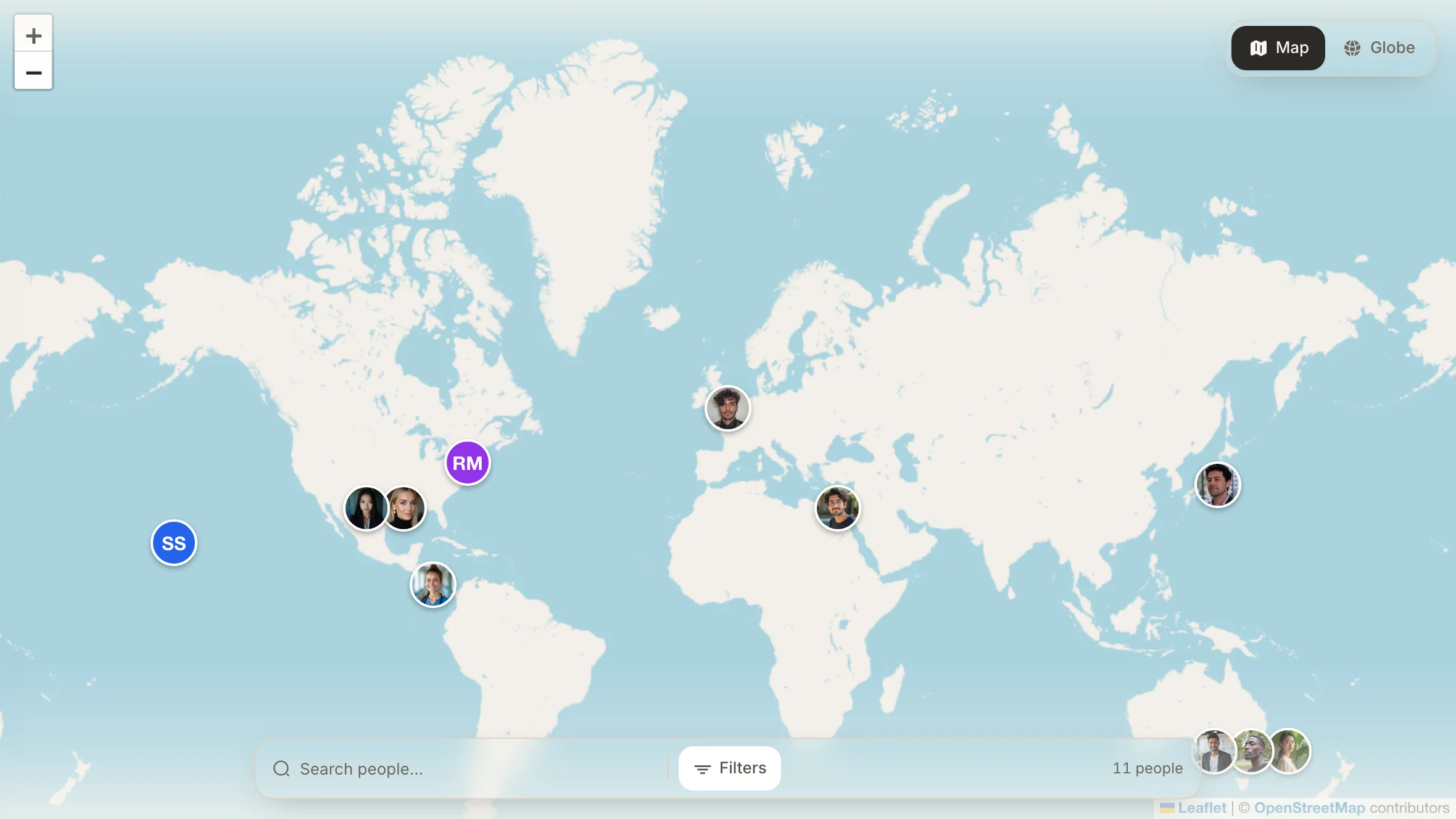
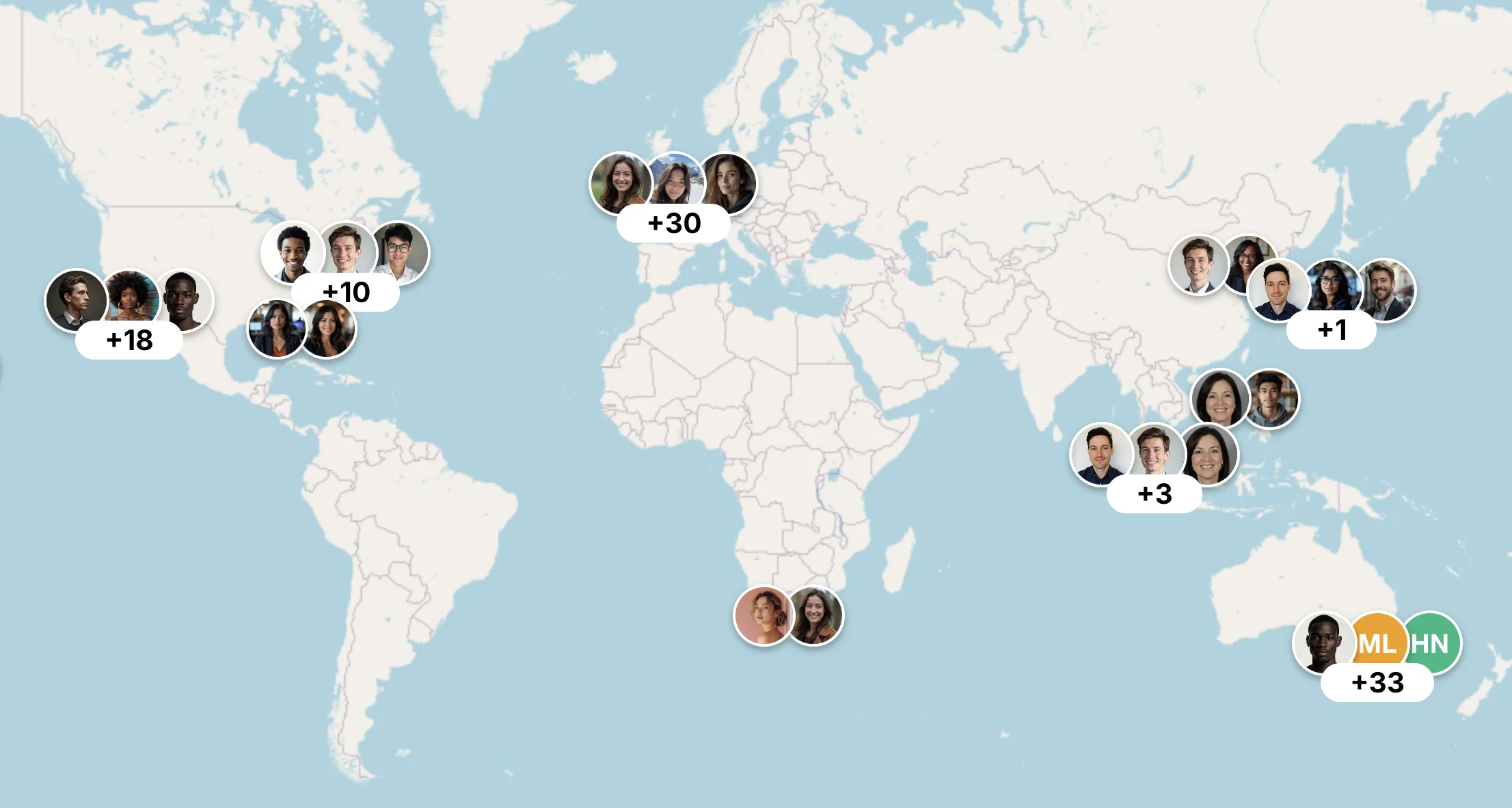
An interactive map of where everyone works, with people clustered by city and a search and filter bar to find anyone fast.
Try it in the live demoTeamVis Feature Details
Menu Bar App Features
Who's working right now
See who's inside their working hours and who has logged off before you send a message.
Your colleagues' time zones
Everyone's local time, grouped by time zone, so you can tell at a glance whose day is starting or ending.
National holidays
See which teammates are off for a public holiday, so you don't message someone on their day off.
Daylight saving time
Know when a teammate's clocks are about to change and how it moves your overlap with them.
Work anniversaries
See upcoming work anniversaries so you can mark the milestone with your team.
Birthdays
See whose birthday is coming up, so you never miss a teammate's day.
Website Features
Employee Map
An interactive map of where everyone works, with people clustered by city and a search and filter bar to find anyone fast.
3D Globe
Your team on a 3D globe, for a quick sense of how widely everyone is spread and where the day is starting or ending.
Time Zones View
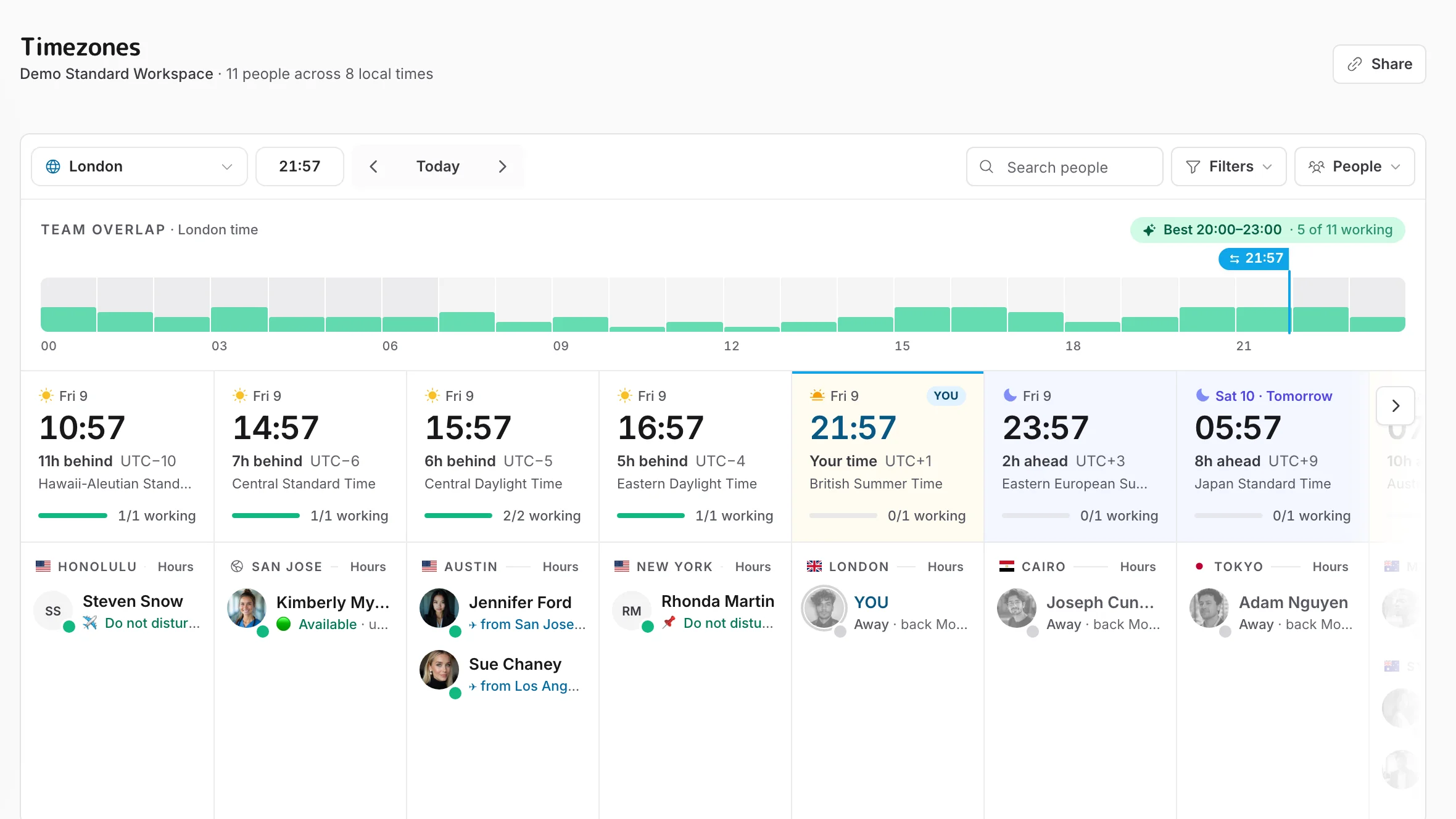
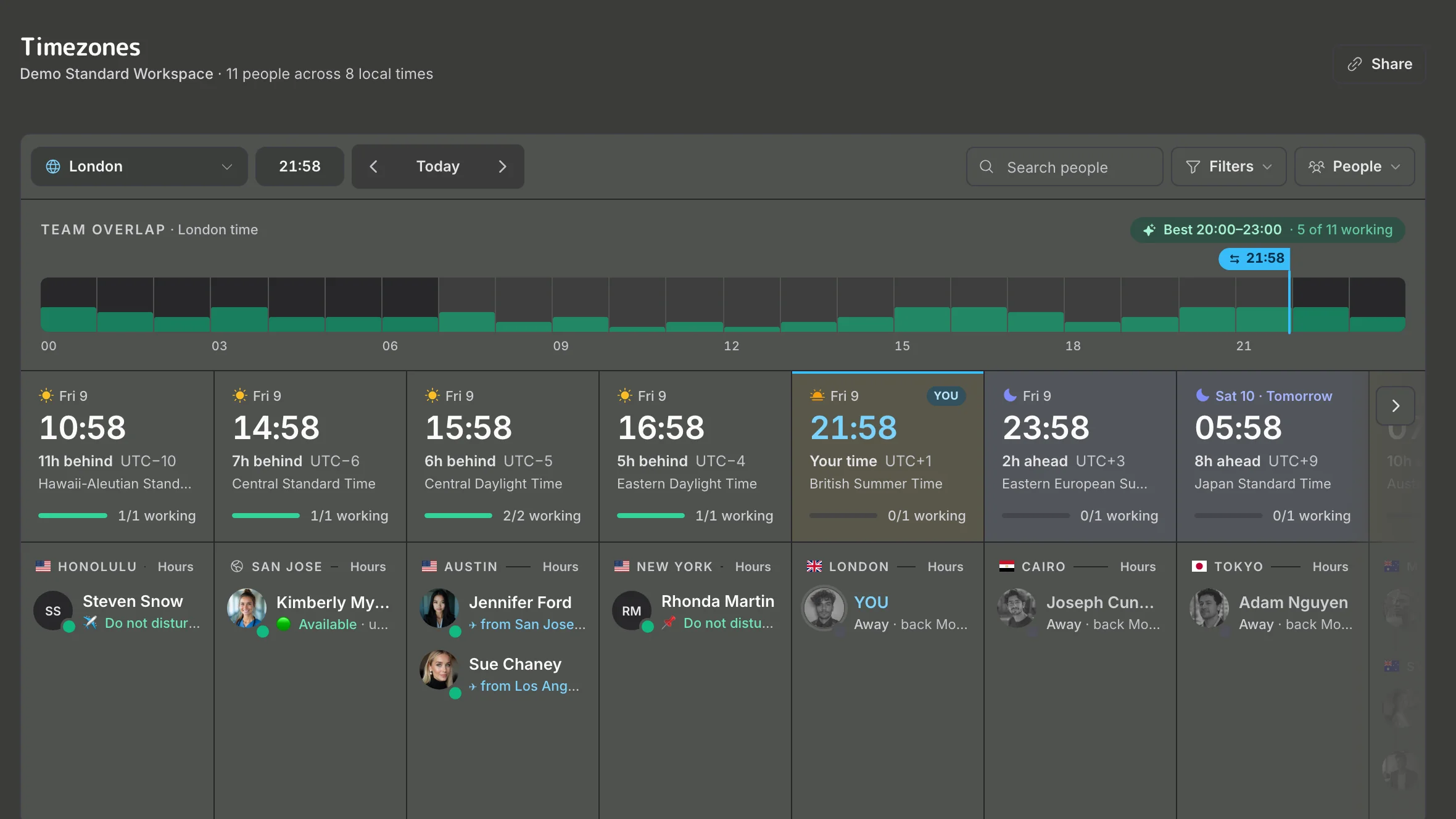
Everyone grouped by local time, with a team overlap bar that picks out the best hours to meet and who's working right now.
Working Hours
Set working hours for a whole time zone or for individual people, so availability reflects when each person actually works.
Meeting Planner
Everyone's working hours on one grid for any date, with the best time to meet picked out and a map of where the team is that day.
Daylight Saving Time Changes
See upcoming clock changes across your team's time zones, and how each one shifts the gap between you and them.
National Holidays
See which teammates are off for a public holiday in their country, date by date, before you book a meeting or wait on a reply.
Travel & Holidays
A timeline of who's away in the weeks ahead: trips, time off, public holidays and clock changes, with what each trip does to the hours you share.
User Management
Add people by city, edit their profiles and hours, and remove them when they leave.
Birthdays
See whose birthday is coming up, so nobody's day goes unnoticed.
Work Anniversaries
See upcoming work anniversaries and mark the milestones of the people who've been with you longest.
Built for Remote Teams
TeamVis lives where your team already talks. Connect Slack and everyone appears with their time zone and local time, pulled from the profiles they already keep.
Works inside Slack
Times in messages convert to each teammate's local time, and /workinghours, /overlap and /location answer without leaving the chat.
Private & secure
Converted times are sent privately to each teammate in another time zone, so channels stay free of bot clutter.
Your whole team in seconds
Connect Slack and everyone appears on the team map with their local time. No spreadsheet to fill in.
No configuration required
Names, job titles and time zones come straight from Slack profiles.
Automatic team sync
New starters, leavers and profile changes sync from Slack on their own, so the team list never goes stale.
Free during the beta
Slack sync and the chatbot are free while we're in beta. The website and menu bar app are free for individuals.
Get started
Connect Slack or Microsoft Teams to bring your team in automatically, or create an account and add people yourself.
You can connect a workspace at any time.
Help shape TeamVis
TeamVis is new and shaped by feedback from the teams that use it. Follow us on LinkedIn for updates, share TeamVis with a colleague, or get in touch with ideas and feedback.