Self hosting a startup in 2026: TeamVis runs on a computer under my desk
Since September 2026, TeamVis has run on a second hand mini PC rather than on a cloud provider. The site, the API, the database, the background jobs and the analytics all live on one small box that cost about [a couple of months] of the hosting bill it replaced.
This isn't a setup guide. It's about why self hosting should be the sensible default for a small startup, how much a box like this can actually handle, and why I'm not worried about moving back to the cloud if the requirements change.
Self hosting isn't what it was
Ten years ago, running your own server meant port forwarding, a certificate you renewed by hand, a static IP you paid extra for, and the knowledge that anyone on the internet could knock on your router.
Almost none of that applies now. Everything TeamVis needs runs as containers described in one file, and that file doesn't care whether it runs in a data centre or next to my printer. Traffic reaches the box through a tunnel: the server opens an outbound connection to a service that handles TLS and routes requests down to it, so my home network isn't exposed, and bots and CDN caching are also handled by the service.
With DevOps tooling largely built around cloud infrastructure, it's easy to forget that the same tools work just as well on local hardware. With the right setup, you can run your SaaS from a machine at home and build a script to have the option to migrate to a cloud provider in minutes when you need more capacity. Until then, why pay for expensive hosting to handle traffic your product might never see?
The services moved in too
There's plenty of ways to simplify services around a self-hosted website. This blog is a good example. It started on Sanity, a hosted CMS with a generous free tier and a pricing page that assumes you'll grow into it. It now runs on Wagtail inside the same Django application as the API, so the editor, the images and the content live on the box with everything else. That's one fewer account, one fewer API key and one fewer vendor who can change their plans, and the editing experience is better than the one I left.
Analytics was the same decision with a crowd of good open source choices: Plausible, Umami, Matomo and PostHog can all run on your own hardware. TeamVis uses Rybbit, which wants a ClickHouse instance alongside its database. That sounds heavy until you remember the processor is doing nothing most of the day and requests are extremely light.
Monitoring is two small open source tools. Beszel charts the processor, memory, disk and each container's share of them over time, which is how I know the box is bored. Dozzle streams the logs from every container into a browser tab, so when something misbehaves I read what it said. I've usually found logging services on hosting providers to be costly when wanting long term storage, so having this addition for free is a nice feeling.
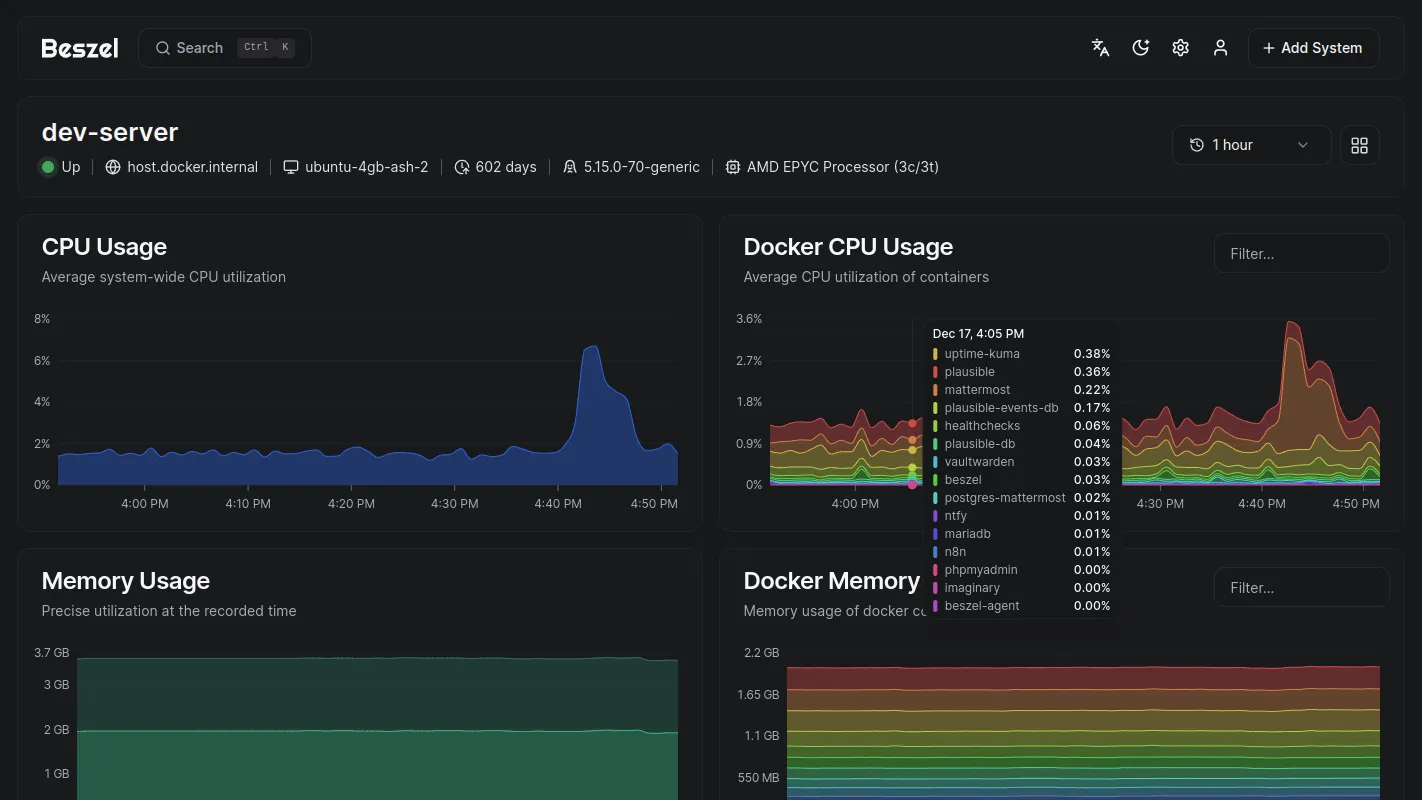
Beszel's system page, from the project's own screenshots. Mine looks much the same, only flatter.
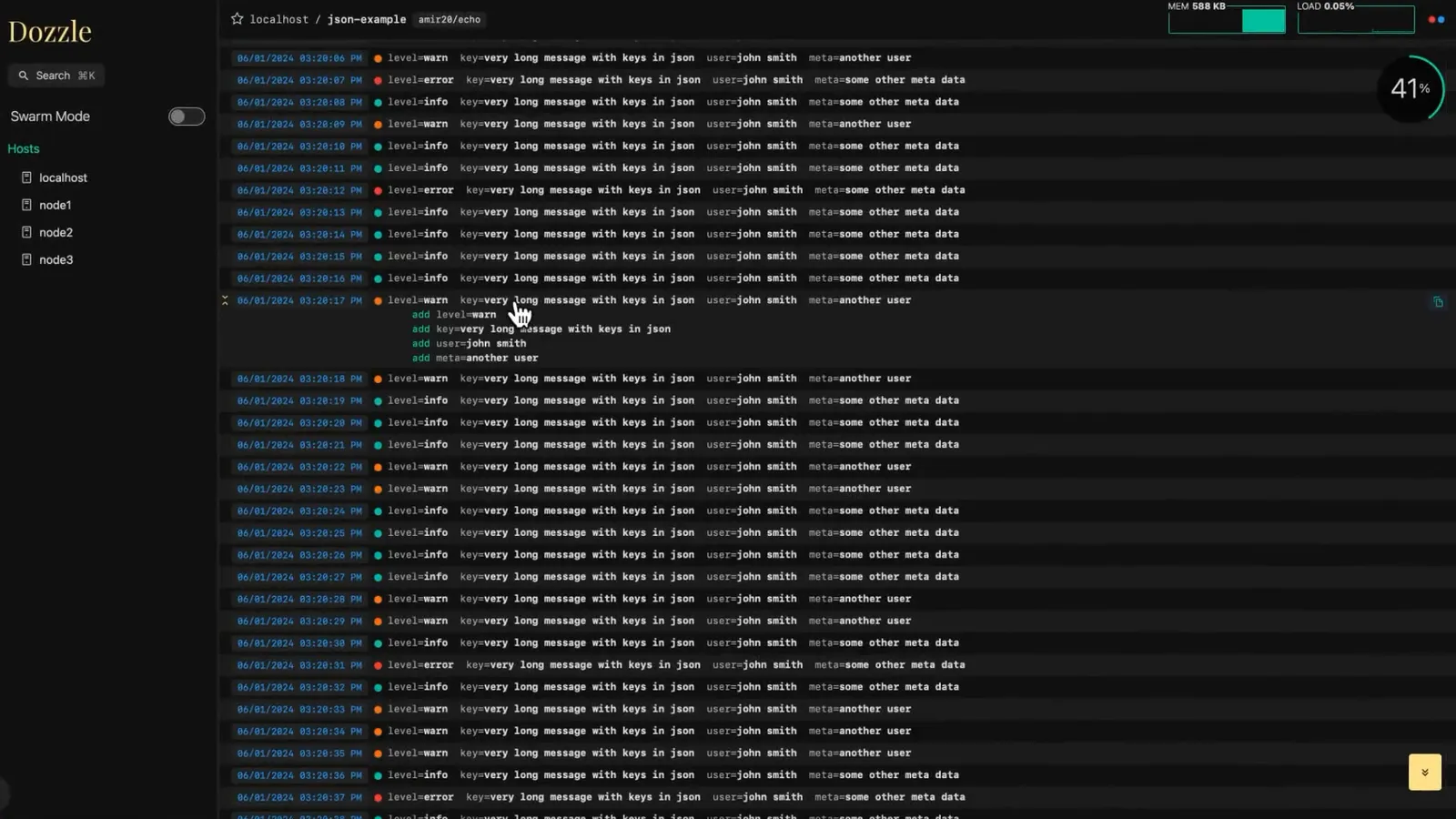
Dozzle, in a frame from the project's own demo video (not mine).
How much traffic a small box handles
More than you'd think, and far more than a product at this stage needs.
The machine has a four core processor from a few years ago and 16 GB of memory. On it, the web app, the API, a Postgres database, Redis, background workers and a self hosted analytics stack all run at once, and for most of the day the processor is doing almost nothing. A typical request to TeamVis is a few milliseconds of database work and some JSON. A box like this can serve hundreds of those a second before anything warms up, and a small SaaS with early users sees a tiny fraction of that across a whole day, currently my RAM idles around 4.47 GB and CPU around 8%.
The real ceiling is my home broadband's upload speed, and even that is many times what the site uses. If TeamVis ever grew into it, that would mean thousands of people relying on it every day, which is a problem I'd be delighted to have and wouldn't take long for me to switch to a cloud provider. Since I'm still using a CI/CD setup, and the state for background workers are still managed via my DB, I only need to migrate my database to a managed Postgres instance.
Moving back to the cloud is an afternoon
What made me comfortable doing this is that the move is reversible, and it's reversible because I never let the home setup leak into the software. TeamVis has been running on a hosting provider for the past year meaning the infrastructure was already built to scale, I'd just need to move it back.
Giving an old machine something to do
A single mini PC isn't going to offset anything meaningful on its own, however it's always important to consider life-cycle emissions offsetting, especially when a device could be heading to the skip and your home has a good renewable energy supplier. It's a nicer feeling than renting a slice of a server I'll never see, and there's a pleasing honesty in a company this size running on a computer this size.
What you're taking on
Honestly, not much if you're tunneling and have some basic homelab experience. I'd just make sure to automate backups, and maybe have a fallback plan in case your internet provider goes down.
Would I recommend it
For a solo founder with a small product and no revenue yet, yes, as long as you keep the exit easy. Buy a second hand mini PC, run containers, reach it through a tunnel, keep backups off the machine, and treat it as a stage rather than a destination. When you see you site traffic growing, migrating those same containers to a cloud provider will be easy.
If you'd like to see what's running on it, the demo is open, no account needed.