Adding the TeamVis Chatbot to a Teams Channel
Once you've installed the TeamVis app in Microsoft Teams, add the chatbot to your channels so it can provide timezone conversions and team availability.
Prerequisite: You must have already followed our guide for Installing the TeamVis App before you can add the chatbot to a channel.
Step 1: Open the TeamVis app
From the Apps page in Microsoft Teams, find and click the TeamVis app to open it.
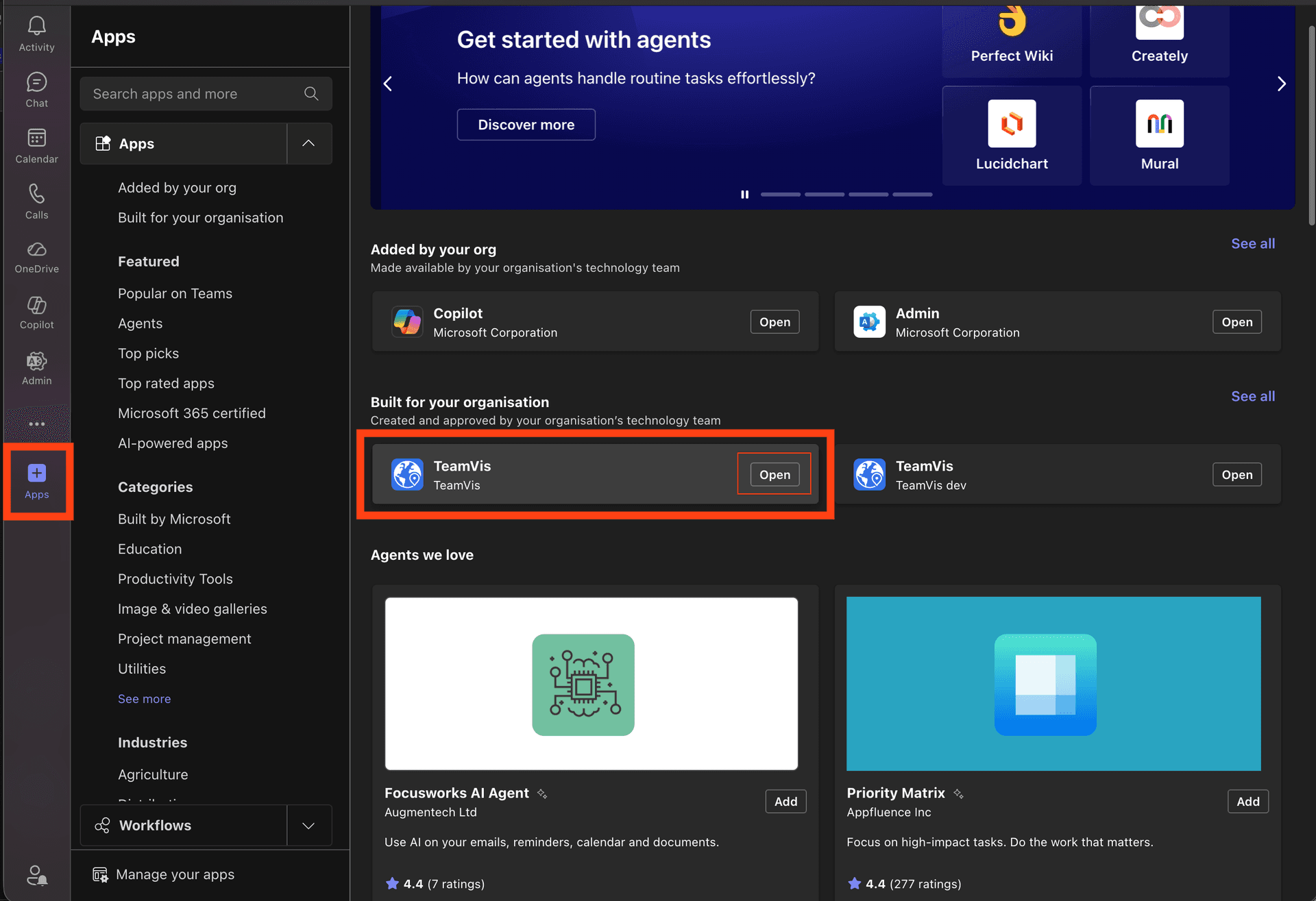
Click the open button
Step 2: Add the app to your channels
A modal will appear where you can select which channels to add the TeamVis app to. Choose the channels where you want timezone conversions, then confirm.
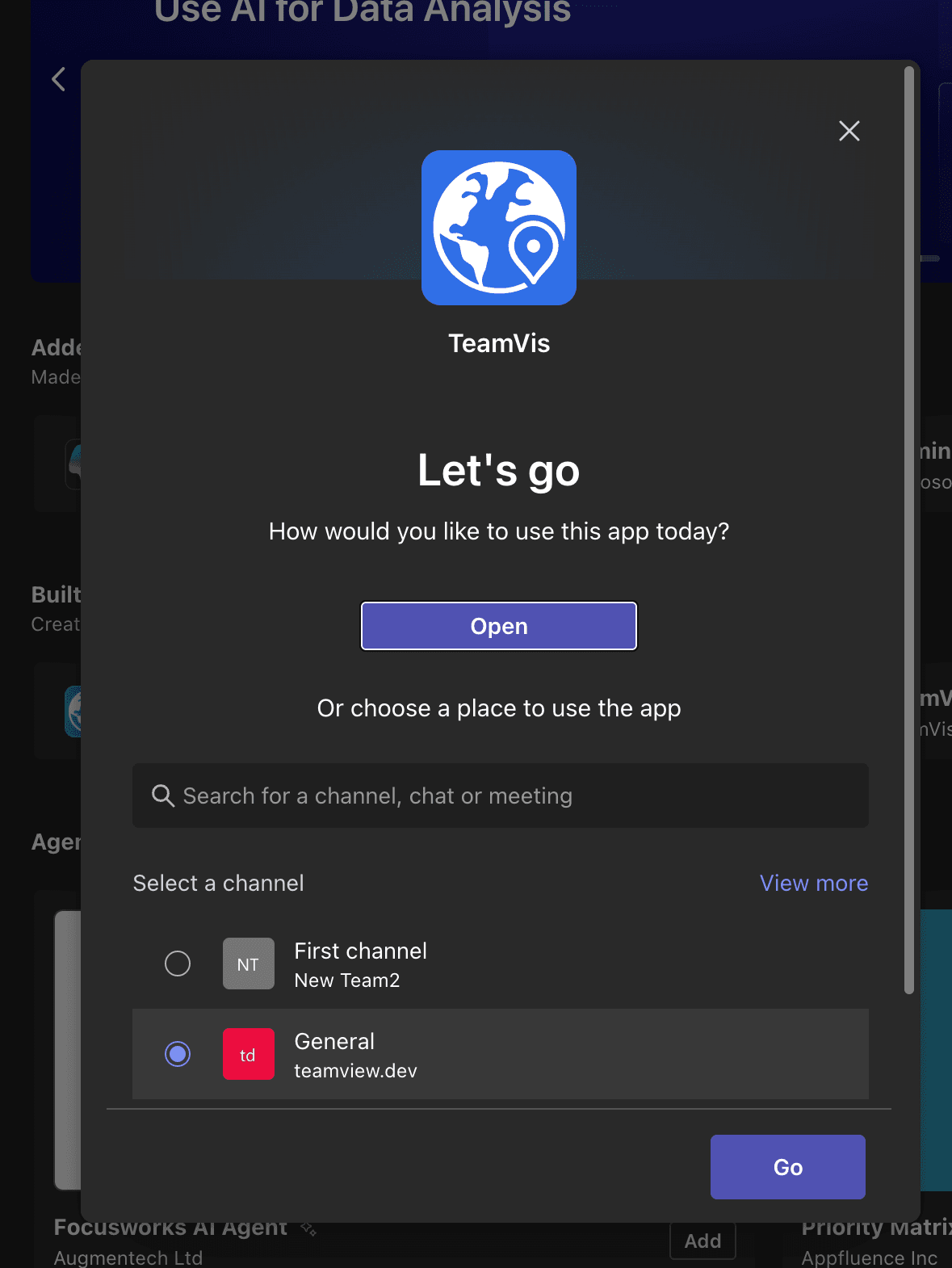
Select channels to add the app to